Conceptual Diagram Symbol Libraries
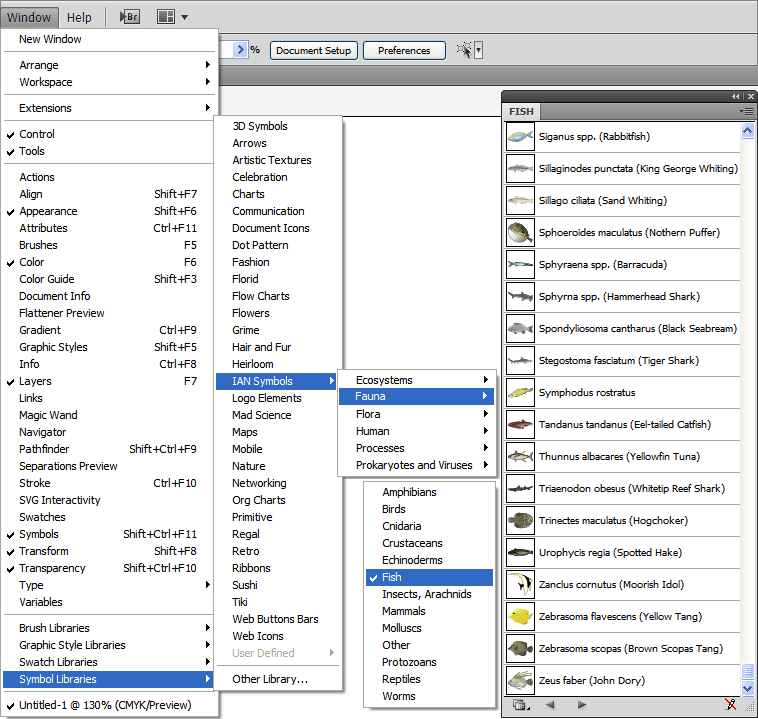
The IAN symbol libraries contain over 1500 custom made vector symbols (in 32 categories) designed specifically for enhancing science communication skills. The libraries are designed primarily for use with Adobe Illustrator (requires version 10 or better), however we also offer eps and svg versions for non-Illustrator users. The symbols allow diagrammatic representations of complex processes to be developed easily with minimal graphical skills.
Our aim is to make them a standard resource for scientists, resource managers, community groups and environmentalists worldwide. Currently downloaded by 50405 users in 236 countries and 50 U.S. states.
The libraries are provided completely cost and royalty free. Please acknowledge as: Symbols courtesy of the Integration and Application Network (ian.umces.edu/symbols/), University of Maryland Center for Environmental Science. Please note: This acknowledgement is not compulsory, but greatly appreciated!
Please visit our help forum for technical help and to discuss your conceptual diagrams.
The current version (5.1) of the IAN Symbol Libraries contains over 1500 vector symbols in 32 libraries (Illustrator symbol palettes).
Included in the FREE download are:
Also available for FREE: |
![]() |
Download Symbols
If you have never registered for the IAN Symbol Libraries, you must use the 'New User Registration' link first. Once you are registered, click the 'Download (Registered Users)' link to access the downloads.
Contribute to the IAN Symbol Libraries
If you have found the IAN Symbol Libraries to be useful, please consider giving something back. Mostly we would like help to build the libraries by symbol contributions from our users. There are two ways you can do this:
- Submit a new symbol through our Symbol Contributions Forum
- Browse through our Symbol Creation Service Forum and take the time to create a symbol that someone has requested.
All those who contribute will be named in the documentation with all future releases of the libraries.
Thanks for your support!
Resources, Tools & Tutorials
Conceptual Diagrams for Science Communication
This webpage highlights the use of conceptual diagrams in effective science communication.
Online Conceptual Diagram Creator
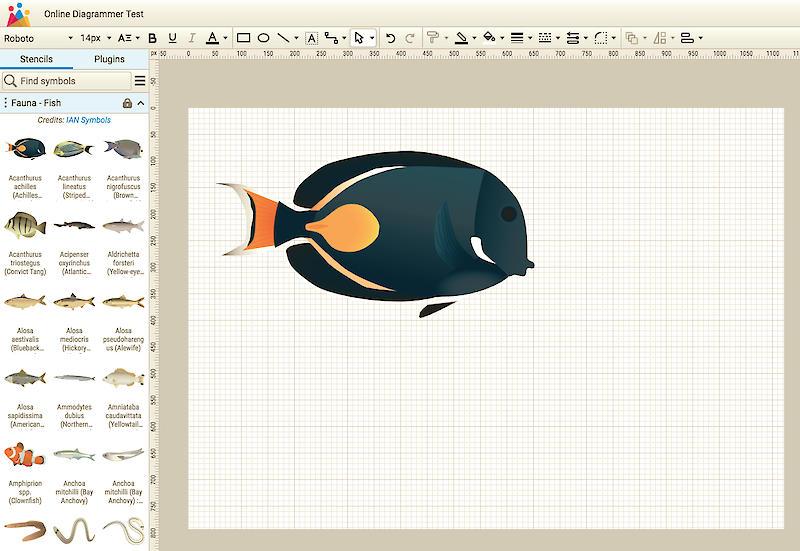
This online tool demonstrates just how easy it is to make conceptual diagrams using 'Drag & Drop' features which are available with the IAN Symbol Libraries and Adobe Illustrator. Please note that this tool is for demonstration purposes only. It has very limited functionality compared with Adobe Illustrator and the downloaded IAN Symbol Libraries.
IAN Symbol Libraries Adobe Illustrator:
Interactive Multimedia Tutorial
This detailed Flash tutorial takes the user through the complete construction of a conceptual diagram using the IAN Symbol Libraries and Adobe Illustrator. The interactive nature of this tutorial means that users actually click through all the processes required as if they were using Illustrator. This tutorial is installed on the users computer when they download the IAN Symbol Libraries or is available by clicking on the flash icon opposite (takes approximately 10 mins to complete).
IAN Symbol Libraries Index
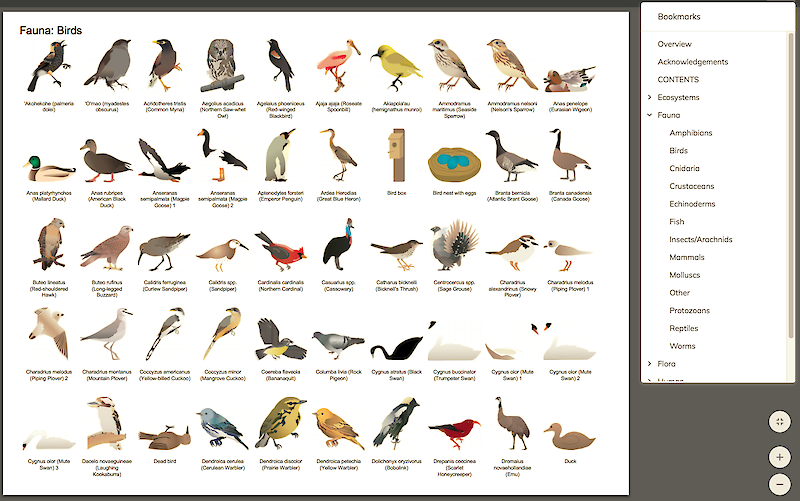
This PDF contains thumbnails of all the IAN Symbols split across the 32 libraries. This document is installed on the user's computer when they download the IAN Symbol Libraries or is available by clicking on the pdf icon opposite.
Symbol Creation Service
Need a symbol we don't already have? Please visit our discussion forum to make requests. Photos or drawings and descriptions of objects should be attached to your message and we will create a symbol which will be posted back on the forum. They will also be incorporated into the Symbol Libraries in future updates. Please note, this is a completely free service designed to produce universally applicable symbols to enhance science communication. Please consider this when making requests.
Symbol Contributions Forum
Want to contribute to the IAN Symbol Libraries? Upload your Illustrator symbols to our discussion forum for others to download. They will also be included in the next update of the symbol libraries. You will be given credit as a contributor to the libraries in the documentation.
Discussion Forum
The IAN Conceptual Diagram Symbol Libraries Discussion Forum has four boards for obtaining technical assistance, making Symbol Creation Service requests, contributing symbols to the libraries, and posting diagrams for review (good conceptual diagrams take many iterations with feedback and input from many people).
Conceptual Diagrams: A tool for science communication
Includes an Introduction to the use of conceptual diagrams and a tutorial for using the IAN Symbol Libraries with Adobe Illustrator.
Click quicktime icon to play or right click here and 'save target as' to download (12.2MB). Requires Quicktime 6 (free download from www.quicktime.com)
Conceptual Diagrams: A tool for science communication
This 73 slide presentation describes the use of conceptual diagrams as science communications tools in presentations, science newsletters, books and peer reviewed journal articles. It provides historical and recent examples of good conceptual diagrams, as well as the ten commandments for conceptual diagrams. A mini tutorial is included to guide you through the process of making a conceptual diagram in Illustrator and PowerPoint, as well as how to make new symbols.
Example Publications
Conceptual diagrams: tools for science communication
This poster details the use of conceptual diagrams in effective science communication. It was presented at the International Riversymposium 2004 in Brisbane, Australia. Effective scientific communication requires synthesis, visualization and appropriate context. Conceptual diagrams, or ‘thought drawings’, are an excellent means of providing these requirements. A conceptual diagram uses symbols to convey the essential attributes of a system.
Conceptual Diagrams: Tools for Science Communication
This newsletter details the use of symbol as a visual language. Symbols are useful for depicting unequivocal messages that transcend cultures, languages and times. The use of symbols to construct conceptual diagrams ('thought drawings') can be an effective tool for science communication and problem solving. Conceptual diagrams help to clarify thinking and provide a communication interface between scientists and non-scientists. Conceptual diagrams can be used in a variety of publications including presentations, posters, science communication publications and peer reviewed scientific papers (color or b&w).
State of the Maryland Coastal Bays 2004
Wazniak, C., M. Hall, C. Cain, D.Wilson, R. Jesien, J.Thomas,T. Carruthers, and W. Dennison
This report summarizes monitoring data collected over the past several years for water quality, aquatic living resources, and habitat categories. It utilizes conceptual diagrams for each reporting region to highlight the key ecosystem processes, biota and estuarine health problems.
Great Barrier Reef Water Quality Protection Plan (Reef Plan)
First Annual Marine Monitoring Programme Report September 2005
This report details the Reef Water Quality Protection Plan (Reef Plan). The goal of the Reef Plan is to halt and reverse the decline in water quality entering the Reef within 10 years. Through the Reef Plan, governments are acting on the potential risk to the Great Barrier Reef from the progressive decline in water quality in waterways entering the Reef, with a focus on diffuse sources of pollutants. The report makes excellent use of conceptual diagrams (using symbols from the IAN symbol libraries) to communicate the overview, components, and implementation of the plan.
Where river meets sea: exploring Australia's estuaries
Turner, L., D. Tracey, J. Tilden, W.C. Dennison
This 288-page book utilizes conceptual diagrams (including symbols from the IAN symbol libraries) to describe the health, geography, science, management and ecological functions of Australia's 974 estuaries. Chapters on natural history, coastal science and management give an understanding of our vast network of pristine and heavily modified estuaries - from isolated tide-dominated estuaries in Australia's tropical north to those shaped by waves in southern, temperate waters.
Climate Change and the Great Barrier Reef: A Vulnerability Assessment
Johanna E Johnson and Paul A Marshall (Eds.)
Climate Change and the Great Barrier Reef: A Vulnerability Assessment is a peer-reviewed publication compiled as a collaboration between the Great Barrier Reef Marine Park Authority and over 80 leading climate and tropical marine experts. It provides expert assessments of the vulnerability of Great Barrier Reef species, habitats and key processes to climate change and identifies possible ways to respond to the climate change challenge. Managers and scientists will find this book valuable as a basis on which future decisions can be made, as well as anyone with an interest in tropical marine ecosystems.
Feedback
For the symbol libraries to grow and become a tool for widespread use, we need your feedback.
Please take the time to provide us with information on:
- how useful you found the symbol libraries
- any errors you discovered
- suggestions for new symbols, swatches and bases
To provide feedback, please visit our discussion forums
Acknowlegments
We would like to thank the David & Lucile Packard Foundation, which is now helping to fund development of the IAN Symbol Libraries.
Many of these symbols were pioneered by the Marine Botany Group, The University of Queensland, and the Healthy Waterways Campaign, Australia.
![]() |
![]() |
| www.marine.uq.edu.au/marbot | www.healthywaterways.org |